OBDV8+
Requirements before starting.
The following tools/files are required to update/flash a Mobile-Devices device:
- A pen drive or SD-card reader with a SD-card (more than 512MB)
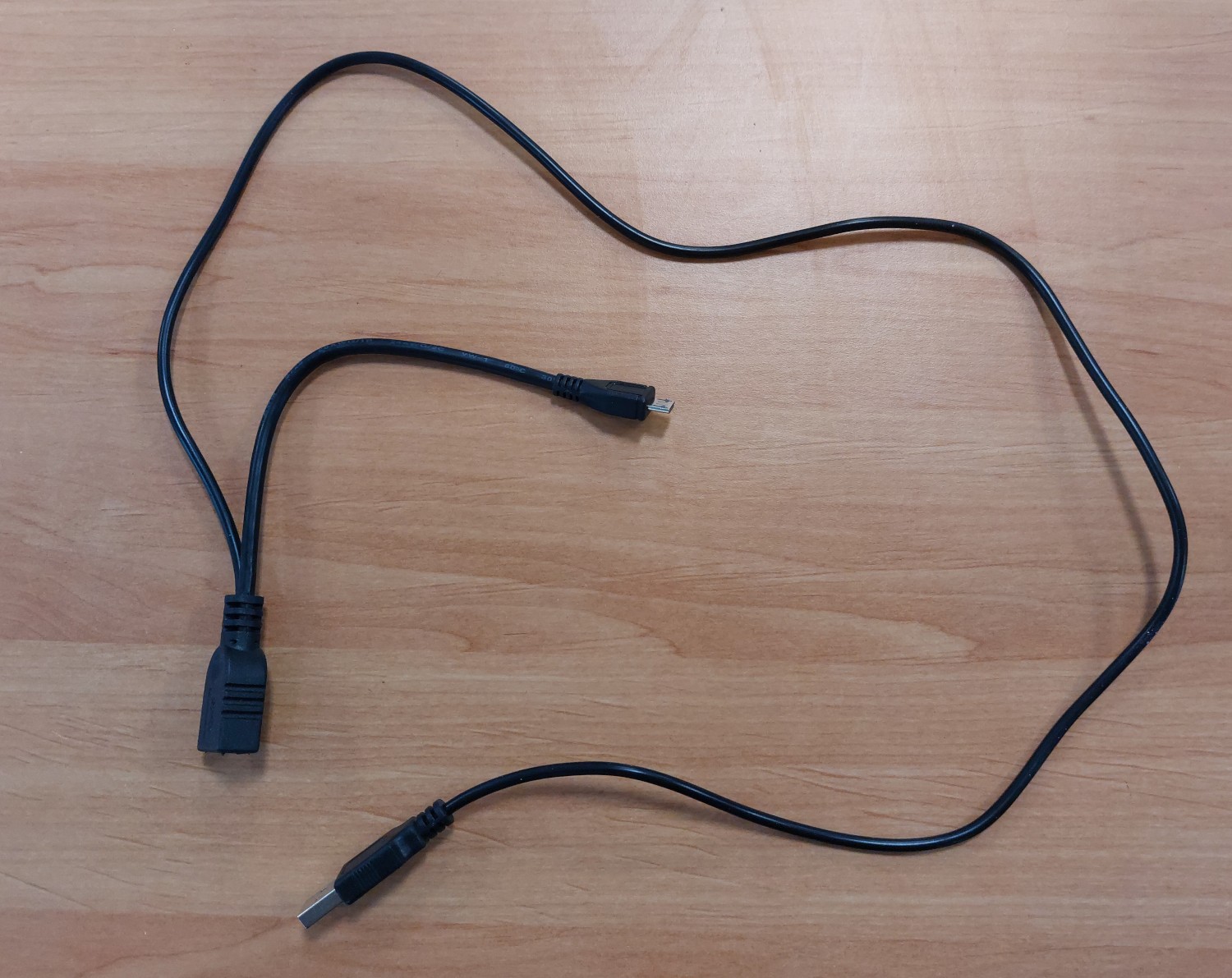
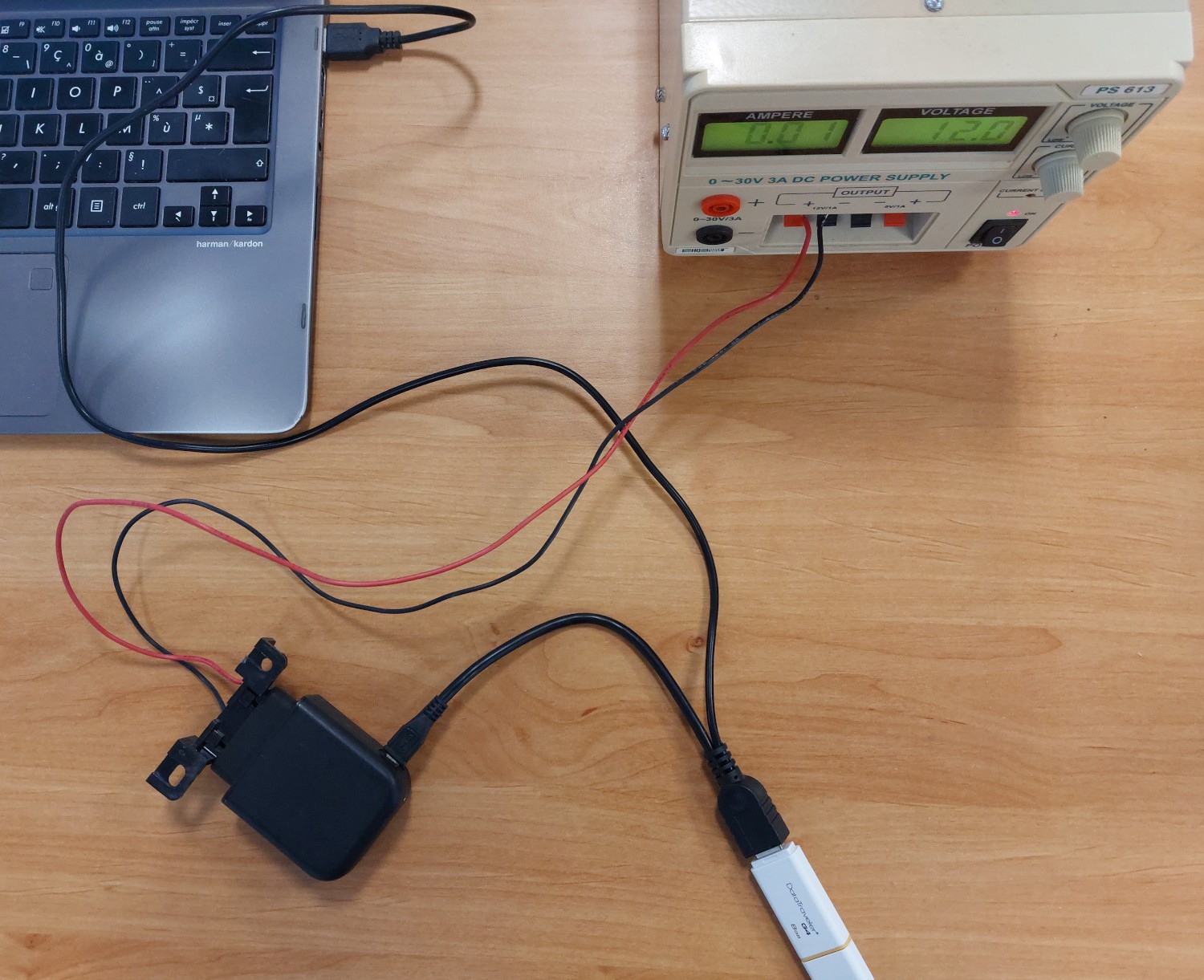
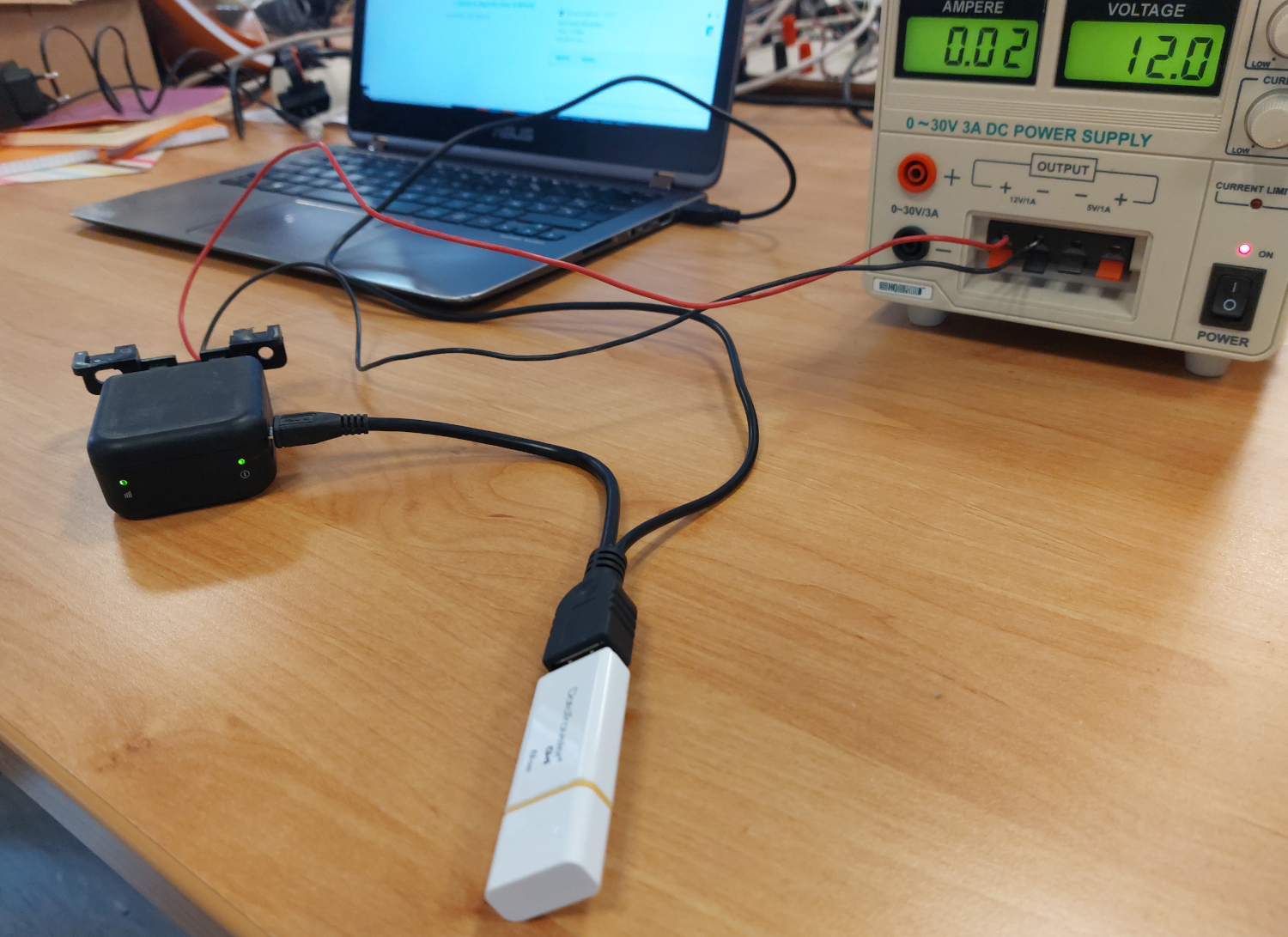
- A Mobile-Devices flashing cable (see the pictures below)
- A 13.8V power supply (see the pictures below) - optional if you plug the device in a vehicle)
- An OBD plug (either a cable or the OBD plug from the vehicle)
- The MDI_PCK* obtained only from your Mobile-Devices contact
Here is the flashing cable you will need:
Prepare your PenDrive or your SD Card
- Format your PenDrive or SD Card using FAT32 format.
- Extract the content of “MDI_PCK*” archive on your computer.
- Copy at the root of the pen drive the content of the “sd” folder.
Flash the Device
- The device's battery must be fully charged, otherwise the device will refuse the flashing resulting in a fast red flashing.
- The device must be OFF, not connected to any power supply and its internal battery OFF, so the device LED must be dead, i.e: Not Blinking at all,
- Connect the pen drive to the device using the Flashing cable
- Turn the device ON (plug it to car or to a Laboratory Power Supply),
- Check the LEDs to know the update status :
| LED | Starting | Processing | Critical Processing | Done | Failed |
| Power LED | Green ON | Green ON | OFF | Green ON | Green ON |
| Signal LED | OFF | Slow blinking Green (500ms ON, 500ms OFF) | Slow blinking Green (500ms ON, 500ms OFF) | Fast blinking Green (100ms ON, 100ms OFF) | OFF |
Once updated, unplug the pen drive and do a power cycle (Unplug/Replug the device from power).
Then if you browse the pen drive you will see 3 new files:
- kern.log (log)
- log_update.txt (log)
- update_done
If update_done is present it means that the the device has been flashed properly.
Important note:
The device must detect the USB key within one second. Please use a USB key with a maximum capacity of 16 GB.